Tips and tricks

Mac Automator - Create a folder and ignore it in Dropbox
Launch Automator
Select Quick Action
in the top, receives: files or folder in Finder.app
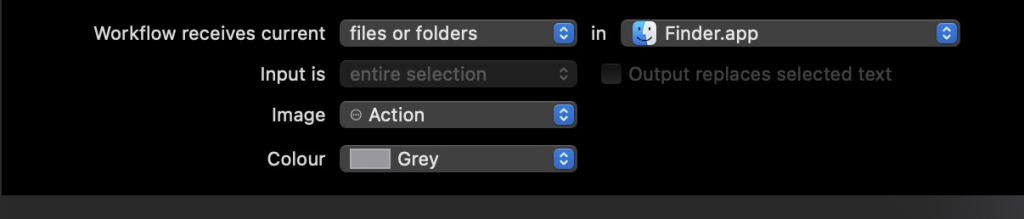
Add a Run Shell Script, and set Pass input: as arguments
in the bash run:
cat > text.txt
for f in "$@"
do
    mkdir "$f/node_modules"
	xattr -w com.dropbox.ignored 1 "$f/node_modules"
done
Javascript - How to watch property change on object or window
WordPress: Where to modify maximum upload size for media